
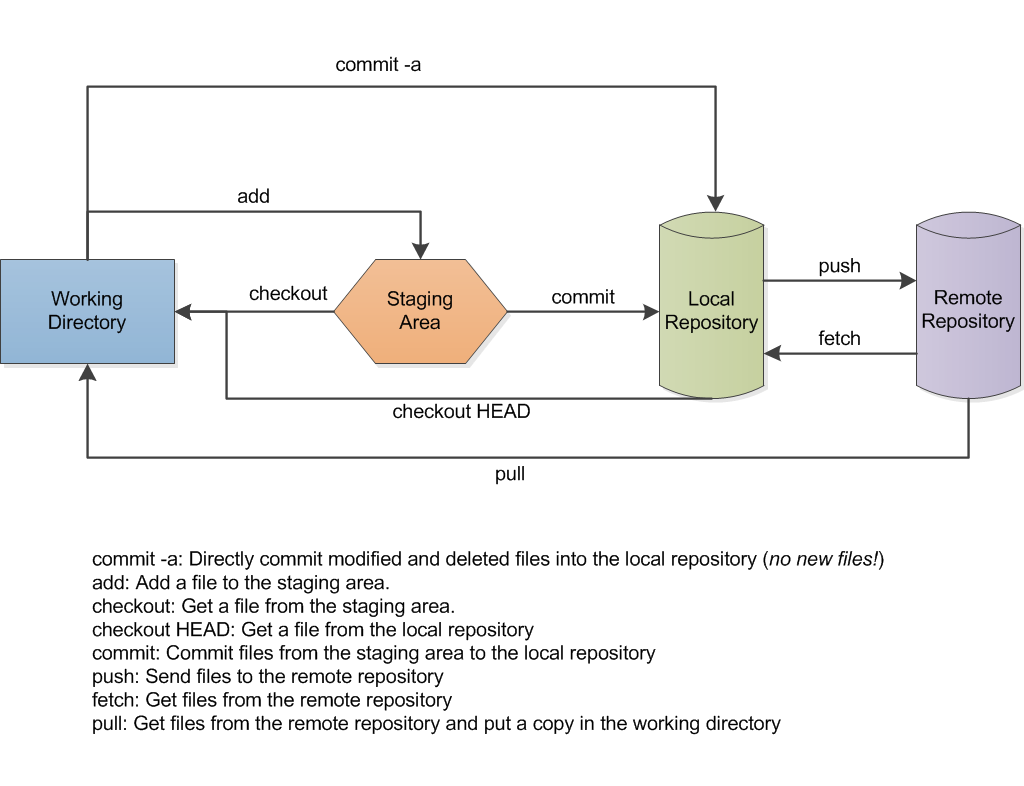
When you run git pull or git merge and see this:
fatal: refusing to merge unrelated historiesit means git found no shared commit between your local branch and the remote branch. The fix is to add --allow-unrelated-histories to the command. That one flag is all you need in most cases.
Why this error exists
Since git 2.9 (released June 2016), git refuses to merge two branches that have no common ancestor by default. Before that, it would silently combine them, which was a common source of confusion when developers accidentally pulled the wrong remote. The protection is intentional: if git finds no shared history, it asks you to confirm you really mean it.
The situation arises in two main ways:
- You created a repository on GitHub and checked “Initialize this repository with a README” (or added a .gitignore or LICENSE from the GitHub UI), then tried to connect it to a local project that already had commits.
- You are intentionally combining two completely separate git repositories into one.
Reproducing the error
Here is the exact sequence that triggers it. Two independent repos, each with one commit, then a pull:
# Repo A: simulates a GitHub-initialized remote
mkdir repo-a && cd repo-a && git init
echo "# My Project" > README.md
git add . && git commit -m "Initial commit"
cd ..

# Repo B: your local project
mkdir repo-b && cd repo-b && git init
echo "print('hello')" > app.py
git add . && git commit -m "first commit"
git remote add origin /path/to/repo-a

# The failing pull:
git pull --no-rebase origin master
Output:
From /path/to/repo-a
 * branch            master     -> FETCH_HEAD
fatal: refusing to merge unrelated histories
The fix
Add --allow-unrelated-histories to the pull command:
git pull --no-rebase --allow-unrelated-histories origin masterOutput on success:
From /path/to/repo-a
 * branch            master     -> FETCH_HEAD
Merge made by the 'ort' strategy.
 README.md | 1 +
 1 file changed, 1 insertion(+)
 create mode 100644 README.md
If you prefer rebasing instead of merging:
git pull --rebase --allow-unrelated-histories origin masterOr if you are running git merge directly after a git fetch:
git fetch origin
git merge --allow-unrelated-histories origin/main
After the merge, git will open your editor for a merge commit message. Save and close it. Then push normally:
git push origin mainThe most common scenario: GitHub initialized with README
The workflow that causes this most often:
- You create a repo on GitHub and check “Add a README file” (or choose a .gitignore template). GitHub creates one commit.
- You have a local project with its own commit history.
- You add the GitHub remote and run
git pullto sync before pushing. - You get this error.
The cleanest way to avoid it in the future: when creating the GitHub repo, leave it completely empty (no README, no .gitignore, no license). Then push your local commits directly:
git remote add origin git@github.com:yourname/yourrepo.git
git branch -M main
git push -u origin main
That sequence never triggers the error because you are pushing, not pulling.
When the flag is the wrong solution
Before using --allow-unrelated-histories, make sure the error is not telling you something important. Check that you have the right remote URL:
git remote -vIf the remote points to a different project entirely, you have connected to the wrong repository. Fix the remote URL rather than forcing a merge:
git remote set-url origin git@github.com:yourname/correct-repo.gitThe flag is correct when you deliberately want to combine two histories. It is the wrong move when the error is revealing a misconfigured remote.
Confirming it worked
After the merge succeeds, run:
git log --onelineYou should see a merge commit at the top followed by commits from both histories:
a28c3af Merge branch 'master' of github.com:yourname/yourrepo
cdf24d2 first commit
4ed1535 Initial commit
Both lines of history are now connected. Push with git push and the remote will accept it.
Tested on Ubuntu 24.04 with git 2.43.0.